Reliable, Proactive Support from IT Support UK

Businesses of all sizes rely heavily on tech to operate efficiently, remain competitive, and support their customers. But managing that technology can be complex, time-consuming, and costly without the right expertise. That’s where Managed IT Services come in. And why so many organisations across the UK turn to IT Support UK, with offices conveniently located in Kent, and the City of London.

At IT Support UK, we provide comprehensive Managed IT Services designed to keep your systems running smoothly, protect your business from cyber threats, and ensure your team has the tools they need to succeed. Whether you’re a solicitor practice in Kent or a construction company requiring managed IT Services in central London, or any other industry / small business, our friendly and professional team is here to help.

What Are Managed IT Services?

Managed IT Services involve outsourcing your IT management and support to a dedicated team of experts. Instead of waiting for technical issues to disrupt your business, Managed IT takes a proactive approach, monitoring, maintaining, and optimising your systems around the clock.

By partnering with IT Support UK, you gain access to a wide range of support services, including:

  • 24/7 monitoring and maintenance
  • Cybersecurity protection and threat prevention
  • Helpdesk and remote support
  • On-site technical assistance
  • Cloud solutions and management
  • Data backup and disaster recovery
  • Hardware and software management
  • Strategic IT planning and consultancy

Our goal is simple: to take the stress out of IT so you can focus on growing your business.

Why Choose IT Support UK for Managed IT Services?

With offices in Orpington, Kent, and the City of London, IT Support UK is uniquely positioned to support businesses for Managed IT Services both locally, across the capital, and South East of England. Here’s what sets us apart from other providers:

1. Local Presence, Nationwide Capability

Our Orpington office provides fast, managed IT services to businesses across Kent and the South East, while our City of London office allows us to quickly serve companies in the heart of the UK’s financial and commercial district. This combination ensures personal, responsive service with the infrastructure and expertise of a nationwide provider.

2. A Friendly, Professional Team

We’re proud of our approachable, plain-speaking technicians and consultants. We believe that great IT support shouldn’t be confusing or stressful. Our team takes the time to understand your business, explain solutions clearly, and build long-term relationships based on trust and transparency.

3. Proactive Monitoring and Maintenance

Prevention is always better than cure. Our proactive approach means we identify and resolve many issues before they can impact your staff, customers, or operations. Regular system health checks, updates, and performance tuning help your business stay productive and protected.

4. Tailored Solutions for Every Business

At IT Support UK, we know that no two organisations are the same. We tailor our Managed IT Services to your goals, budget, and existing infrastructure. Whether you’re a small local business in Kent or a multi-office organisation based in London, our flexible service plans ensure you get the exact level of support you require.

Managed IT Services give you a proactive, ongoing way to run your IT, rather than waiting for things to break. A Managed Service Provider (MSP) typically oversees your devices, servers, networks, security, updates, backups, and user support under a predictable monthly plan. The aim is simple: fewer disruptions, tighter security, clearer planning, and technology that supports your business goals. This proactive model is widely recognised as an alternative to traditional break/fix support, helping organisations reduce downtime and manage risk more effectively.
Your IT Department

This pillar page walks you through the core parts of a strong managed service offering and helps you understand what each component does for your business.

Get in touch

Whether you’re looking for a new IT Support partner, have a major IT nightmare that needs resolving quickly, need a second opinion, or would just like to find out more about what we can help you with, we look forward to hearing from you.

Either fill out our contact form and we’ll get back to you quickly by email.

Alternatively if you need help quickly, please call:

London 0208 123 0007

Or

Kent 01689 422522.

Or click for a free 20 minute IT Consultation.

A dependable IT Help Desk is often the most visible part of your managed service, because it’s where your team goes when they need help fast. Great help desk support combines friendly, plain-English problem solving with structured processes that keep issues from recurring. This usually includes ticketing, prioritisation, troubleshooting, and knowledge sharing. Many modern help desk approaches also integrate service catalogues, self-service portals, and SLA-driven response workflows to improve both user experience and accountability.

For your business, that means fewer interruptions and quicker resolutions when something does go wrong. It also provides valuable trend data: recurring issues, device failures, or training gaps can be identified early. In a managed model, the help desk isn’t just there to fix problems, it’s a feedback engine that supports continuous improvement across your IT environment.

Blue keyboard support button
Support desk technician providing remote it support

Remote IT Support enables your users to get quick assistance without waiting for an engineer to travel onsite. For many businesses, this is now the default support model because it’s efficient, cost-effective, and perfectly suited to hybrid working. With secure remote tools, engineers can diagnose issues, apply fixes, install software, and guide users in real time, often resolving problems in minutes.

In a managed setup, remote support becomes even more powerful when combined with proactive monitoring and automated alerts. The support team can spot performance issues or security risks and often fix them before users notice any disruption. This aligns with the wider MSP goal of reducing downtime through early detection and proactive action.

Remote support doesn’t replace onsite help entirely, but it dramatically reduces the number of call-outs needed and helps keep your workforce productive wherever they are.

Even with excellent remote tools, some issues need hands-on attention. IT Support Call Out services provide that safety net when hardware fails, office networks need physical troubleshooting, or new equipment must be installed and configured in person.

For many organisations, this is especially important during office moves, new site deployments, or major upgrades that benefit from onsite oversight. Call out support also helps in situations where business continuity is critical, if a server, firewall, or connectivity issue is impacting an entire location.

Within a managed relationship, call out services are ideally coordinated with your service desk and monitoring tools. That way, onsite visits are more targeted and efficient: engineers arrive with the context, logs, and likely root cause already identified. The result is less disruption and faster restoration of normal operations.

IT Support Call Out
IT Data Backup Services

Data Backup and Disaster Recovery (DR) are two sides of the same resilience coin. Backup is about creating safe copies of your data; disaster recovery is the plan and process for restoring systems and access after an outage, cyber incident, or accidental loss.

A managed backup and DR approach ensures your backups are monitored, tested, and aligned with your business requirements, so recovery is realistic, not just theoretical. Many experts recommend robust strategies such as maintaining multiple copies across different media with an off-site or immutable element, especially given rising ransomware risk.

From a business perspective, the benefits are huge: shorter downtime, improved compliance, and clearer accountability when incidents happen. Whether you need cloud-first recovery, hybrid protection, or tailored retention policies, managed backup and DR helps ensure your data isn’t just stored, it’s recoverable.

Pro-active Monitoring is one of the most important building blocks of Managed IT Services. Instead of waiting for users to report problems, monitoring tools watch your systems, devices, servers, and network performance around the clock. When something shows early signs of failure, like low disk space, unusual CPU spikes, unstable hardware, or service interruptions, alerts trigger investigation and resolution.

The goal is simple: fix issues before they interrupt your business. Many MSPs describe this as the difference between “keeping the lights on” and creating a stable environment that supports growth.

For your team, that means fewer nasty surprises, less downtime, and better performance day to day. Proactive monitoring also supports smarter IT planning by highlighting patterns and capacity trends, so upgrades and replacements can be scheduled logically rather than urgently.

Man holding an IT cloud with managed IT services inside
Blue Update button on a black keyboard

Update Management, often called patch management, is essential for security and stability. Software vendors regularly release updates to fix bugs, improve performance, and close security vulnerabilities. Managed Update Management ensures these updates are planned, tested (where appropriate), and deployed within controlled maintenance windows to minimise disruption.

In modern environments, update strategies may cover Windows and Linux servers, user devices, third-party applications, and cloud-connected systems. Microsoft’s tooling also continues to evolve in this space, with services designed to provide unified visibility and scheduling across hybrid estates.

For businesses, the value is twofold: reduced risk of cyber incidents caused by unpatched vulnerabilities, and fewer operational issues caused by uncoordinated or missed updates. A structured update approach is a key hallmark of mature managed services.

Co-Managed IT Services are ideal for organisations that already have in-house IT but want extra expertise, tools, and capacity. Instead of replacing your internal team, a co-managed model extends it. You keep strategic control while the MSP handles agreed responsibilities, such as monitoring, escalation support, cybersecurity tooling, patching, or out-of-hours coverage.

This approach can be particularly helpful for mid-sized businesses where the internal team is strong but stretched. It also supports smoother project delivery, better resilience, and access to specialist knowledge without hiring multiple full-time roles.

A well-designed co-managed partnership has clear boundaries and shared processes. When done right, it improves service levels for users while allowing your internal IT leaders to focus more on innovation, business alignment, and long-term planning.

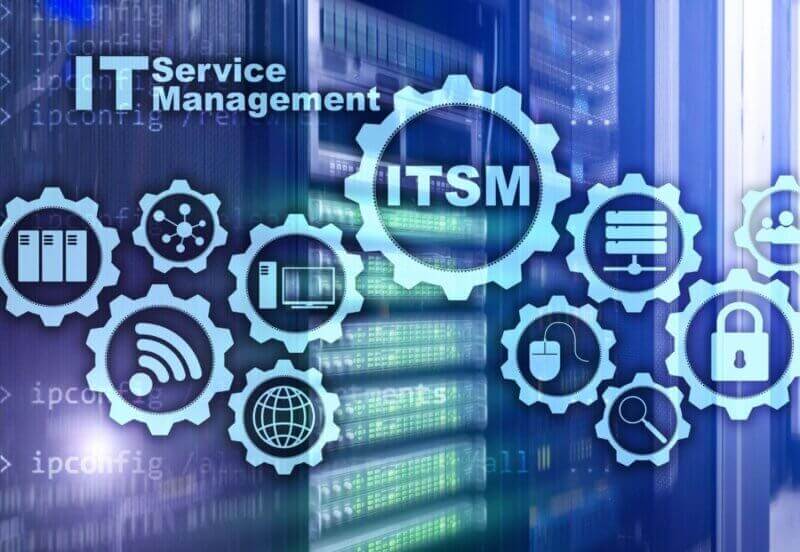
IT Systems Management
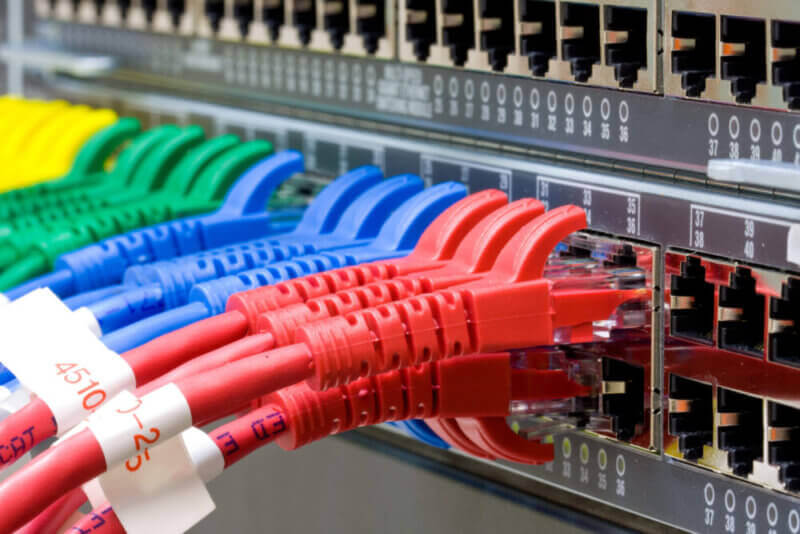
Red, blue, green and yellow patch cables connected to a network switch

Your network is the backbone of everything your team does, email, file access, cloud apps, VoIP, security controls, and remote working all depend on consistent connectivity. Managed Network Services focus on performance, reliability, and security across your switching, routing, firewalls, Wi-Fi, and internet connections.

Within a managed environment, network management typically includes configuration oversight, capacity monitoring, firmware updates, and rapid troubleshooting when issues arise. Proactive visibility helps avoid bottlenecks and reduces the risk of unexpected outages. This proactive mindset is central to most MSP service models.

For growing businesses, network management also enables structured expansion, whether you’re adding users, opening a new office, or building a more secure hybrid infrastructure. The result is a network that doesn’t just function, it supports business momentum.

As mobile and remote work continue to shape the modern workplace, Mobile Device Management (MDM) helps organisations keep smartphones, tablets, and laptops secure and consistent. MDM allows IT teams to enforce policies, manage apps, control access, and protect data, especially in BYOD or multi-site environments.

In practice, this can include device encryption requirements, automated configuration profiles, remote wipe capabilities, and conditional access to Microsoft 365 or other cloud services. When delivered as part of a managed service, MDM is monitored continuously and adjusted as your workforce evolves.

For businesses, MDM reduces the risk of lost or unmanaged devices becoming a data exposure point. It also improves user experience by making onboarding faster and keeping devices consistently configured across teams and locations.

Mobile tablet and a mobile phone
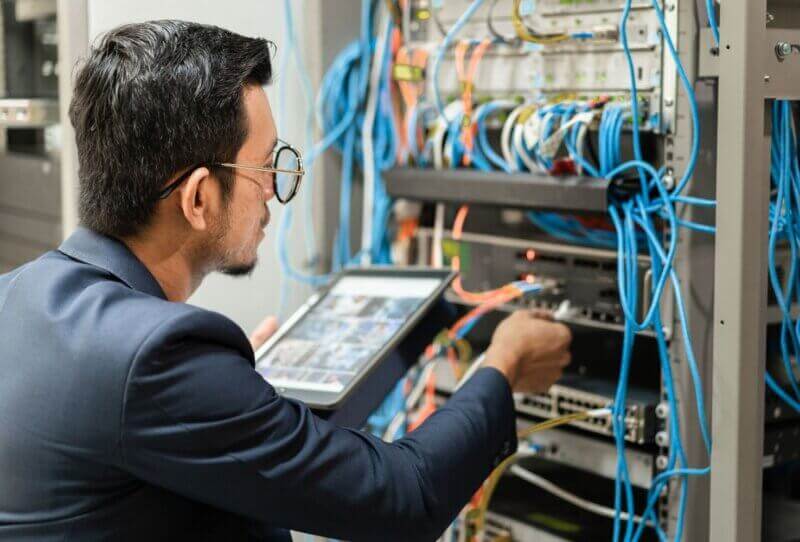
Microsoft Server in a Rack and a technician working

Microsoft Server environments still power many critical business systems, whether on-premises, in private cloud, or in hybrid setups. Managed Microsoft Server Support focuses on keeping these systems secure, patched, performant, and aligned with business-critical workloads.

This includes health checks, monitoring, patch scheduling, backup integration, identity and access oversight, and troubleshooting for services such as Active Directory, file services, and application hosting. Modern Microsoft update and management tooling also supports unified governance for hybrid server estates, helping improve visibility and compliance across environments.

A managed approach helps you avoid the hidden risks of legacy systems, missed patches, capacity constraints, or undocumented dependencies. For your organisation, that can mean better uptime, smoother audits, and more predictable planning for upgrades or cloud migration when the time is right.

Technology Alignment is the strategic layer of managed services. Instead of treating IT as a collection of tools, alignment ensures that your systems, budgets, and roadmaps support your business goals. This can involve lifecycle planning, risk reviews, compliance considerations, and prioritising investments that improve efficiency or customer outcomes.

In many MSP models, this takes the form of quarterly or biannual reviews, plus documented recommendations that align with growth, security, and operational needs. This approach reflects the shift in managed services from pure support to long-term partnership.

For businesses that want IT to be a competitive advantage, alignment helps avoid reactive spending and ad-hoc decisions. You get a clearer picture of where you are today, what risks need addressing, and which improvements will deliver measurable value.

Technology Alignment charts
Two men exchanging an IT Support Contract with SLA

An IT Support Contract provides clear terms around the services you receive and how performance is measured. Most contracts include structured service levels, escalation routes, coverage hours, and agreed responsibilities for both the provider and the customer. This protects your business by turning expectations into a well-defined working agreement.

In a managed context, contracts often cover proactive services as well as reactive support, monitoring, patching, backup oversight, and strategic reviews. These agreements should also clarify what’s included versus what is project-based, and how changes or new requirements are handled over time.

For UK organisations, a well-built contract reduces ambiguity and supports better budgeting. It also makes vendor performance easier to review objectively, reinforcing accountability and long-term service quality.

Every business needs a support model that fits its size, risk profile, and budget. Support Options typically range from ad-hoc break/fix assistance to fully managed monthly plans and co-managed partnerships. The right choice depends on how critical your systems are, how quickly you need help, and whether you want proactive prevention or simple reactive support.

Managed service frameworks increasingly emphasise predictable coverage, documented SLAs, and proactive improvements. This is especially valuable for businesses that must minimise downtime, support remote workers, or meet security expectations.

A good MSP will help you select a model that matches your environment today, but also offers room to evolve. You might start with core help desk and monitoring, then expand into MDM, network optimisation, or more strategic alignment as your needs grow.

Business Computer Support
Screen with Technical Support Services

Business IT Services bring all the parts together into a cohesive solution that supports daily operations and long-term growth. This broader category may include user support, infrastructure management, cybersecurity layers, cloud services, business continuity, and technology planning.

When delivered through a managed approach, these services create consistency and reduce operational risk by ensuring that systems are maintained and improved in an organised way. Proactive monitoring, structured updates, and reliable backup strategies are typical foundations that support a stable, secure environment.

For leadership teams, well-designed business IT services provide clarity: predictable costs, measurable performance, and a roadmap for improvement. For employees, it simply means technology that works! Quietly, reliably, and without slowing them down.

Looking for an outstanding IT Support Company?

From cyber security to remote desktops, working from home or your laptop on the beach,
we’re here for you with our complete Managed IT Support and Solutions.

Get in touch today