



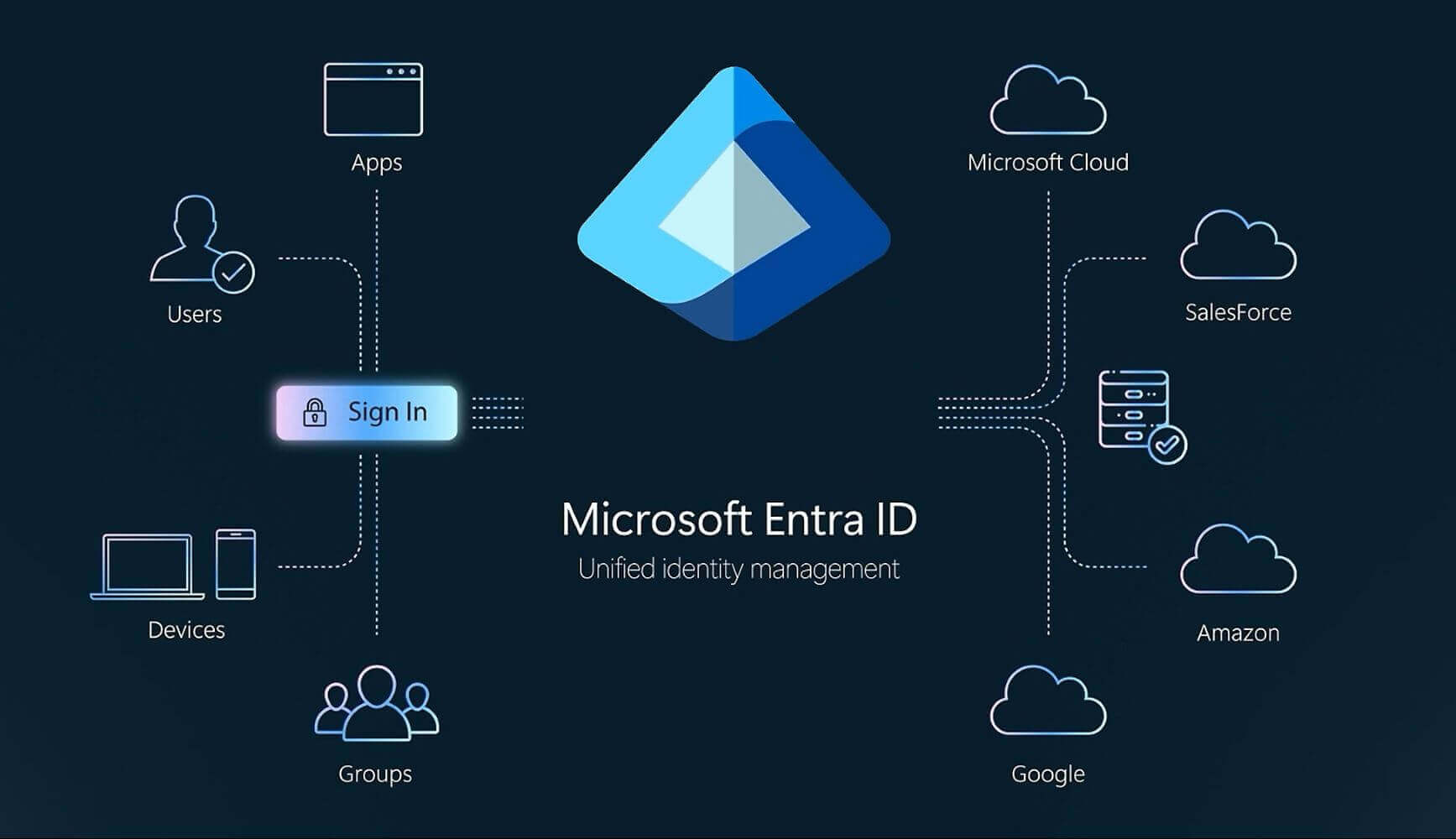
Microsoft 365 Tenant Setup for M365 Business Premium
Setting up a new Microsoft 365 tenant
Moving to Microsoft 365 Business Premium is a big step for any organisation. Done well, it gives your team a secure, modern workspace with email, files, chat and apps all in one place. Done badly, it can leave you with security gaps, data in the wrong locations and users who struggle to get work done.
At IT Support UK, we specialise in planning and setting up new Microsoft 365 Business Premium tenants for businesses across London and Kent. Our aim is simple: get the technical groundwork right so your team can get on with their jobs without worrying about the technology behind it.
What is a Microsoft 365 tenant and why is it important?
Think of your Microsoft 365 tenant as your organisation’s private corner of Microsoft’s cloud. It holds:
- User accounts and security settings
- Email, calendars and contacts
- SharePoint sites and OneDrive storage
- Teams chats, channels and meetings
- Policies for devices and applications
Everything your staff see and use in Microsoft 365 sits on top of this tenant. If it is rushed or set up with “quick wins” in mind, problems will appear later, inconsistent usernames, duplicate data, weak access controls, or difficulties when people join, leave or change roles.
Our job is to design and configure your tenant so it is:
- Secure by default: best-practice security settings applied from day one
- Simple to manage: clean structure, clear naming and logical groups
- Ready to grow: able to scale as your business, locations and teams change
Our Microsoft 365 Business Premium tenant setup process
Although every organisation is different, we follow a structured approach that keeps your project controlled and predictable.
1. Discovery, review and planning
We begin with a discovery session to understand how your business works today and where you want to get to. This typically covers:
- Number of staff, roles and departments
- Office locations in London, Kent and any remote workers
- Existing email systems (e.g. on-premises Exchange, POP/IMAP, Google)
- Where files are stored now, file servers, NAS drives, cloud storage
- Any industry or compliance requirements
- Pain points such as unreliable email, VPN issues or remote access problems
From this we design the structure of your Microsoft 365 tenant: which domains to use, how users should be named, what shared mailboxes and groups are needed, and how Teams and SharePoint will be organised.
2. Tenant creation and domain setup
Once the plan is agreed, we create your new Microsoft 365 Business Premium tenant and connect your company domains (for example @yourcompany.co.uk). We then configure all the necessary DNS records so email, Teams and other services route correctly.
If you need to run your old and new systems in parallel for a short period, we can plan coexistence or a staged cutover to keep downtime minimal and avoid surprises for your staff.
3. User accounts, licences and groups
Next, we create user accounts and assign Microsoft 365 Business Premium licences so everyone has access to the tools they need. We also:
- Apply consistent naming conventions for users and mailboxes
- Create security groups and distribution lists
- Set up shared mailboxes for generic addresses such as info@ or accounts@
- Configure basic permissions so access is based on role, not individual favours
A well-structured tenant at this stage makes user onboarding and leaver processes much smoother later on.
4. Security, identity and device management
Security is where Microsoft 365 Business Premium really comes into its own. As part of our standard tenant setup, we typically configure:
- Multi-Factor Authentication (MFA) for all users
- Conditional Access policies: for example, blocking logins from certain locations or requiring MFA for risky sign-ins
- Baseline security policies for sign-ins, apps and external access
- Microsoft Intune for device management, allowing you to manage Windows, macOS and mobile devices from a central portal
- Advanced Email Security: an additional layer of security can be added with Advanced Email Security
These measures help protect your data whether staff are working from your London office, a Kent branch, home, or a client site.
5. Email and data migration
If you are moving from an existing platform, we carefully plan how to migrate your email and data into the new tenant. This often includes:
- Migrating individual and shared mailboxes
- Transferring calendars and contacts
- Moving home drives or shared folders into OneDrive and SharePoint
- Mapping old folder structures to new, more logical layouts
Where possible, we carry out migrations outside of core business hours and keep staff informed so they know what to expect. The goal is a smooth transition with minimal disruption and no loss of important data.
6. Testing, documentation and handover
Before we sign anything off, we test:
- Mail flow in and out of the organisation
- Access to Teams, SharePoint and OneDrive
- MFA and Conditional Access behaviour
- Key business workflows and line-of-business applications
We then document the core aspects of your tenant – such as domains, groups, admin accounts and security policies – and share this with you. If you have internal IT staff, we can provide a technical handover; if not, we can continue to manage the environment for you as part of our ongoing support.
Why work with us?
Choosing IT Support UK means partnering with a local, experienced team that understands the realities of running a business in London and Kent. We combine hands-on technical knowledge with practical, jargon-free advice.
You get:
- A clean, secure Microsoft 365 Business Premium tenant
- A structured rollout rather than a rushed “lift and shift”
- Clear documentation and ongoing support options
- A single point of contact for both project and day-to-day IT needs
Ready to set up your new Microsoft 365 tenant?
Whether you are moving into Microsoft 365 for the first time or looking to rebuild an existing tenant the right way, we can help.
Contact IT Support UK today to discuss your Microsoft 365 Business Premium tenant setup for your London or Kent business and get your cloud environment on solid foundations from day one.
Get in touch
Whether you’re looking for a new IT Support partner to setup your Microsoft Tenant, have a major IT nightmare that needs resolving quickly, need a second opinion, or would just like to find out more about what we can help you with, we look forward to hearing from you.
Either fill out our contact form and we’ll get back to you by email.
Alternatively if you need help quickly, please call:
London 0208 123 0007
Or
Kent 01689 422522.
Or click for a free 20 minute IT Consultation.